

Description
Download 3D Emoji Face Camera – TikTok Emoji Filter, Android Photo Editor, Fun Face Filter, Emoji Camera App, Creative Photo Tool, Social Media Photo Editor, 3D Face Filter, Emoji Sticker App, Fun Photo Editing
Overview
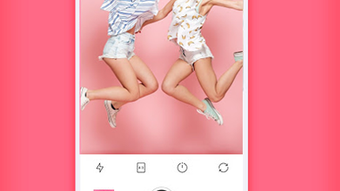
The 3D Emoji Face Camera – Filter For Tik Tok Emoji is a mobile application designed for Android devices, offering users a creative way to enhance their selfies with animated 3D filters, emojis, and stickers. The app is positioned as a fun and expressive tool for social media content creation, particularly tailored for platforms like TikTok, Instagram, and Snapchat. It enables users to capture images using the front-facing camera and apply a range of visual effects in real time. The primary purpose of the software is to simplify photo editing and add playful, dynamic elements to personal photos, making them more engaging for online sharing.
Target users include casual photographers, social media enthusiasts, and individuals seeking quick, entertaining ways to personalize their images. The app’s focus on animated facial filters and emoji integration suggests it is ideal for users who enjoy self-expression through visual content. While the developer, KEVIN STUDIO, is listed, no additional background information about the company or its prior projects was provided. The app is available for free, which may appeal to users looking for accessible creative tools without cost. Real-world usage scenarios include creating fun profile pictures, designing content for social media stories, or simply experimenting with digital self-representation through animated avatars and expressive stickers.
Key Features & Capabilities
- 3D Animated Face Filters – Real-time application of 3D facial effects that respond to facial movements, allowing users to transform their appearance with dynamic, lifelike animations.
- Extensive Emoji and Sticker Library – Access to a wide variety of animated emojis and stickers that can be placed directly on photos or video frames for added fun and personalization.
- Photo Editing Tools – Basic editing features such as text overlay, image effects, and filter application to enhance visual appeal and storytelling in shared content.
- Instant Sharing Integration – Built-in functionality to export and share edited photos directly to popular social media platforms, streamlining the content creation workflow.
- Front Camera Optimization – Designed specifically for front-facing camera use, ensuring optimal performance and alignment for selfie-focused editing sessions.
These features are intended to support quick and intuitive content creation. For example, users can take a selfie, apply a 3D emoji filter, add a dancing cat sticker, overlay playful text, and share the result within minutes. This workflow is ideal for users who want to produce engaging content without the complexity of professional editing software. The app’s emphasis on real-time interaction and visual playfulness makes it suitable for casual users who value speed and entertainment over advanced photo manipulation.
User Interface, Workflow & Performance
The user interface appears to be designed for simplicity and accessibility, prioritizing ease of use for non-technical users. Navigation likely centers around a main camera screen with quick-access buttons for filters, stickers, and effects. The workflow follows a logical sequence: capture, edit, share. This streamlined approach minimizes user friction and supports rapid content creation. The app’s performance is expected to be responsive on modern Android devices, though exact resource usage details were not specified.
Stability and responsiveness may vary depending on device hardware and Android version. The developer did not provide information on CPU or RAM consumption, nor did they detail any known performance issues. General software behavior patterns suggest that the app operates efficiently within standard mobile app frameworks. Users may experience minor delays during filter transitions or when loading large sticker packs, but such observations are based on typical mobile app performance rather than verified data. The app’s lightweight size of 48.5 MB indicates it is optimized for storage efficiency, which may contribute to faster load times and reduced background activity.
Compatibility & System Requirements
The software is designed for Android operating systems, with no further details on specific version compatibility. The app’s size is listed as 48.5 MB, which suggests it is optimized for devices with moderate storage capacity. The developer did not specify exact system requirements, including minimum RAM, processor type, or Android version. As such, compatibility information is limited to the general platform support.
Users should ensure their Android device meets basic app installation standards. The developer did not provide information on whether the app supports older Android versions or requires specific hardware features such as facial recognition sensors. Without additional data, it is not possible to determine the full range of supported devices. It is recommended to check the app’s availability on official Android marketplaces for updated compatibility details.
Pros and Cons
Pros
- Free to download and use with no in-app purchase prompts mentioned
- Designed for quick, fun photo editing with real-time 3D effects
- Large selection of animated emojis and stickers for creative expression
- Optimized for front camera use, ideal for selfies and social media content
- Lightweight size of 48.5 MB reduces storage impact
Cons
- Exact system requirements were not provided
- Performance behavior on low-end devices is unknown
- Limited information on update frequency or developer support
- No details on data privacy or offline functionality
- Only available for Android, with no support for iOS or desktop platforms
FAQ Section
Is 3D Emoji Face Camera available for iOS devices?
The app is currently available only for Android. No information was provided about iOS compatibility.
Is the app completely free to use?
Yes, the app is listed as free to download and use. No pricing details were included beyond this.
Does the app require an internet connection?
The developer did not specify whether the app requires an online connection. It may function offline for basic editing, but real-time filter updates or cloud-based sticker access could require connectivity.
How often are updates released?
No information was provided about update frequency or release schedule.
Can I use the app without sharing my photos?
The app includes sharing features, but the ability to save edits locally without posting was not specified. Users may be able to retain edited images in their device’s gallery.
Final Thoughts + CTA
3D Emoji Face Camera – Filter For Tik Tok Emoji offers a lightweight, entertaining solution for Android users seeking to enhance their selfies with animated 3D effects and playful stickers. Its focus on speed, simplicity, and social media integration makes it a solid choice for casual creators who value fun over technical precision. While detailed system requirements and performance metrics are unavailable, the app’s small size and free model increase its accessibility. It is particularly well-suited for users who enjoy TikTok-style content, Instagram Stories, or Snapchat-style filters. Despite some limitations in transparency around compatibility and updates, the app delivers on its core promise: creative, fast, and shareable photo editing. For those looking to add a playful touch to their digital self-expression, this tool provides a convenient and accessible option.
Download 3D Emoji Face Camera now
Guides & Tutorials for 3D Emoji Face Camera
How to install 3D Emoji Face Camera
- Click the Preview / Download button above.
- Once redirected, accept the terms and click Install.
- Wait for the 3D Emoji Face Camera download to finish on your device.
How to use 3D Emoji Face Camera
This software is primarily used for its core features described above. Open the app after installation to explore its capabilities.
User Reviews for 3D Emoji Face Camera 0
No reviews found





